2023-10-20 technology
YouTube: Missing option to delete channel
Missing the Remove YouTube Content option? Use YouTube Studio as a workaround to delete your channel when the standard option is unavailable.
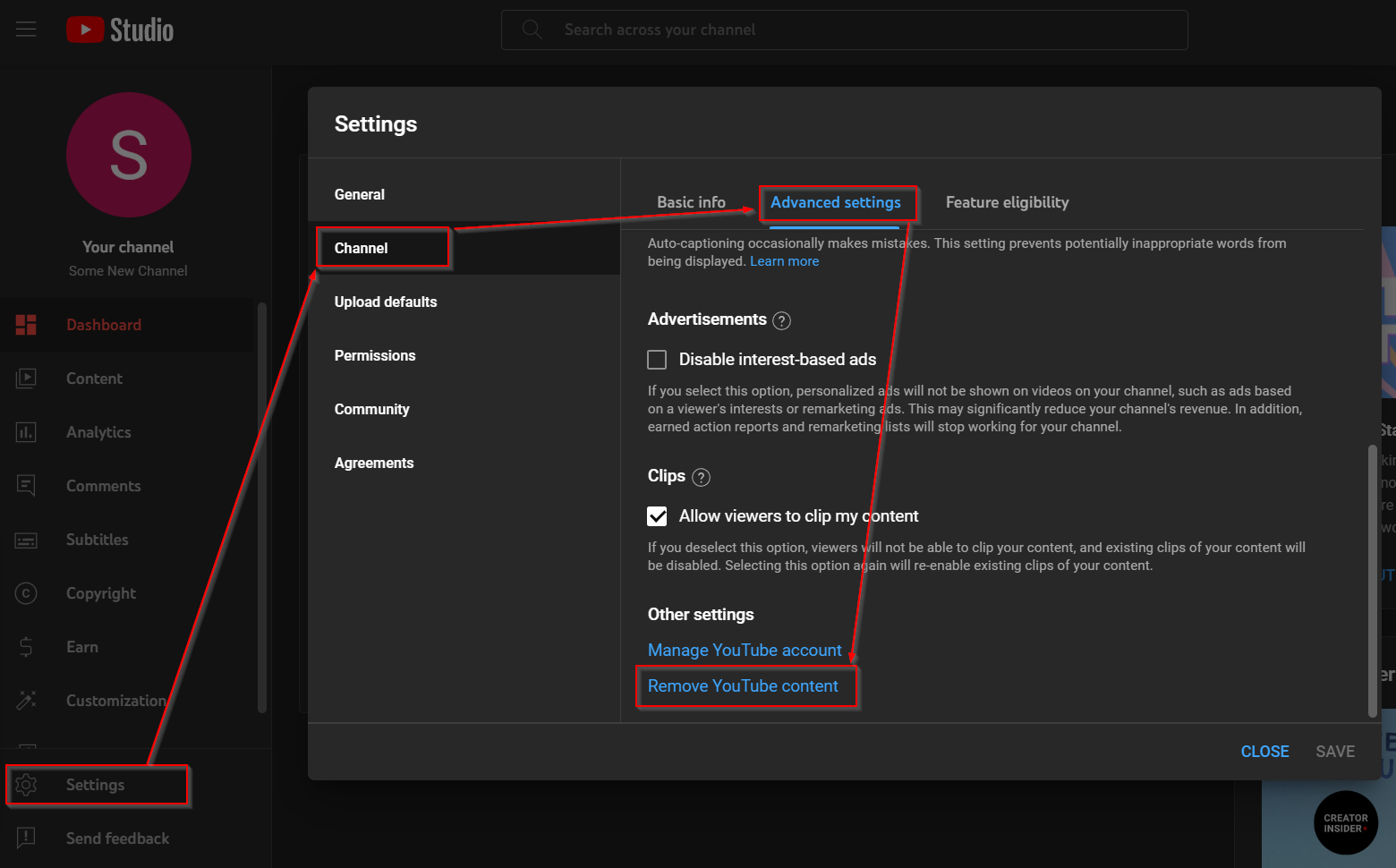
If you follow YouTube’s guides to deleting a channel, you might find that in your case the Remove YouTube content is missing altogether. This seems to be the case with newer accounts, but no worries, there’s a workaround.
Go to YouTube Studio instead. Go to Settings > Channel > Advanced settings and scroll to the bottom. There you should find the Remove YouTube content option available. Click on it and follow the instructions to have your channel and all the content associated with it removed.