How to switch to C# 11
Fix the 'Feature is not available in C# 10.0' error by switching to C# 11 via target framework or LangVersion in your .csproj file.
Feature is not available in C# 10.0. Please use language version 11.0 or later.
There are two ways to approach this:
- change the target framework of your project to .NET 7 or higher. The language version should be updated automatically.
- edit your .csproj file and specify the desired
like in the example below:
<Project Sdk="Microsoft.NET.Sdk">
  <PropertyGroup>
    <OutputType>Exe</OutputType>
    <TargetFramework>net7.0</TargetFramework>
    <ImplicitUsings>enable</ImplicitUsings>
    <Nullable>enable</Nullable>
	<LangVersion>11.0</LangVersion>
  </PropertyGroup>
</Project>
Language version is greyed out and cannot be modified
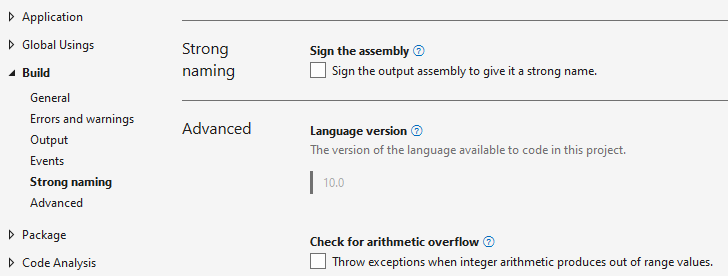
The Language version cannot be changed from the Properties window of the project. The version is linked to the target .NET framework version of your project and will be updated accordingly depending on that.
If you must override the language version, you have to do it as specified above, by modifying the .csproj file and specifying the LangVersion.
Remember that each C# language version has a minimum supported .NET version. C# 11 is supported only on .NET 7 and newer versions. C# 10 is supported only on .NET 6 and newer versions. C# 9 is supported only on .NET 5 and newer versions.
C# LangVersion options
Besides the version numbers, there are certain keywords that can be used to specify the language version of your project:
- preview – refers to the latest preview version
- latest – the latest released version (including minor version)
- latestMajor or default – the latest released major version